-
Does Macbook Air Include Microsoft Office?
Jul 21, 2023
The Apple MacBook Air is a laptop popular for its portability and efficiency. However, regarding the software available, there's certain software applications that consumers often want to be preinstalled on their devices. One of these includes Microsoft Office, a suite of tools for productivity that include Word, Excel, PowerPoint and many other applications. In this piece we'll explore whether the MacBook Air comes with Microsoft Office and discuss the available options for those who require Microsoft Office software.
What is Microsoft Office?
To determine whether or not the MacBook Air is equipped with Microsoft Office, it is important to determine first what Microsoft Office is. Microsoft Office is an assortment of Microsoft Corporation software. Microsoft Office includes Microsoft Word and Excel as in addition to PowerPoint, Outlook and other applications. The programs are extensively employed for a variety of tasks, such as Word processing, spreadsheet management designing presentations and managing email accounts.
What Comes Pre-installed on a MacBook Air?
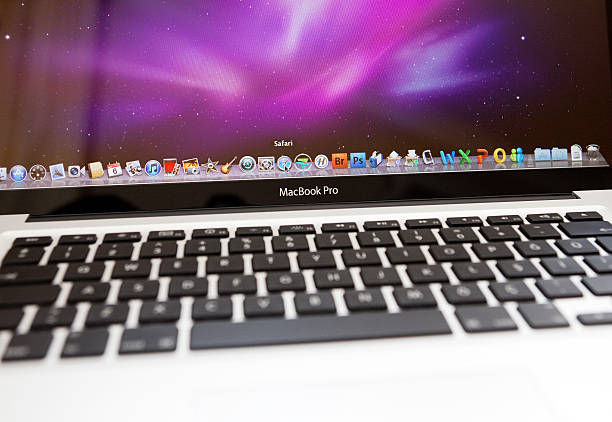
When you buy the MacBook Air the device comes with a suite of applications pre-installed by Apple. These applications are tailored to enhance the user experience and offer functionality straight out of the box. Some of the built-in apps that are available on the MacBook Air include Safari (web browser), Mail (email client), Pages (word processor), Numbers (spreadsheet software), Keynote (presentation software) along with many other. To learn more details on MacBook Air, you have to browse does the new macbook air come with microsoft office site.
Does MacBook Air Include Microsoft Office?
The MacBook Air is not pre-installed by Microsoft Office. Apple and Microsoft have separate businesses and, therefore, Microsoft Office does not come pre-installed on MacBook Airs and other Apple products. Therefore, if you require Microsoft Office applications on your MacBook Air, it is necessary to purchase the Microsoft Office applications separately.
How do I get Microsoft Office on MacBook Air?
For users to use Microsoft Office applications on your MacBook Air, you have a few options:
Microsoft 365 Subscription
Subscribing for Microsoft 365, formerly Office 365 is the most well-known method to download Microsoft Office on a MacBook Air. Microsoft 365 is cloud-based service that provides access to the most recent editions of Microsoft Office applications and additional advantages and features like cloud storage and collaboration tools. When you sign up for a Microsoft 365 subscription, you are able to install Office apps onto the MacBook Air and enjoy regular updates and help.
One-Time Purchase:
If you prefer not to sign up to Microsoft 365, you can make a one-time purchase for Microsoft Office for Mac. It lets you purchase an individual edition of Office (such like Office 2019) completely without the need for an account. The one-time purchase option provides an access point to Office suite that comes with a lifetime license. This means you are able to continue to use the suite for as long as you want, without having to pay to upgrade it in the future.
Online Office Suites
In the alternative, if you just require a few basic tools for office productivity but don't need the complete Microsoft Office suite, you could utilize online office suites, such as Google Docs, Sheets, and Slides. These online applications provide similar functionality to Microsoft Office and can be used with a web browser on the MacBook Air.
Apple's Productivity suite iWork
Apple's suite for productivity software, iWork, is preinstalled in MacBook Air. iWork includes numbers, Keynote and Pages. The applications can open, edit as well as save Microsoft Office files such as.docx and.xlsx.
Summary
The MacBook Air doesn't come already pre-installed by Microsoft Office. But, there are a variety of options for obtaining and using Microsoft Office applications on your MacBook Air, including subscribing to Microsoft 365, purchasing a single-use license, or looking into alternatives to online office suites. Additionally, Apple provides its productivity suite called iWork and it offers similar features as Microsoft Office. Be aware of your individual specifications and budget before deciding which one is the most suitable to your requirements.
Comments
- (no comments)